WeldonPC: Tech Briefing — Week of October 4, 2026
Welcome to this week's WeldonPC Tech Briefing! Here's your look at the week ahead across Northeast Ohio — the local forecast, the tech news worth your attention, how the big names moved on the market, and what kept our bench humming last week.
7-Day Weather Outlook — Northeast Ohio
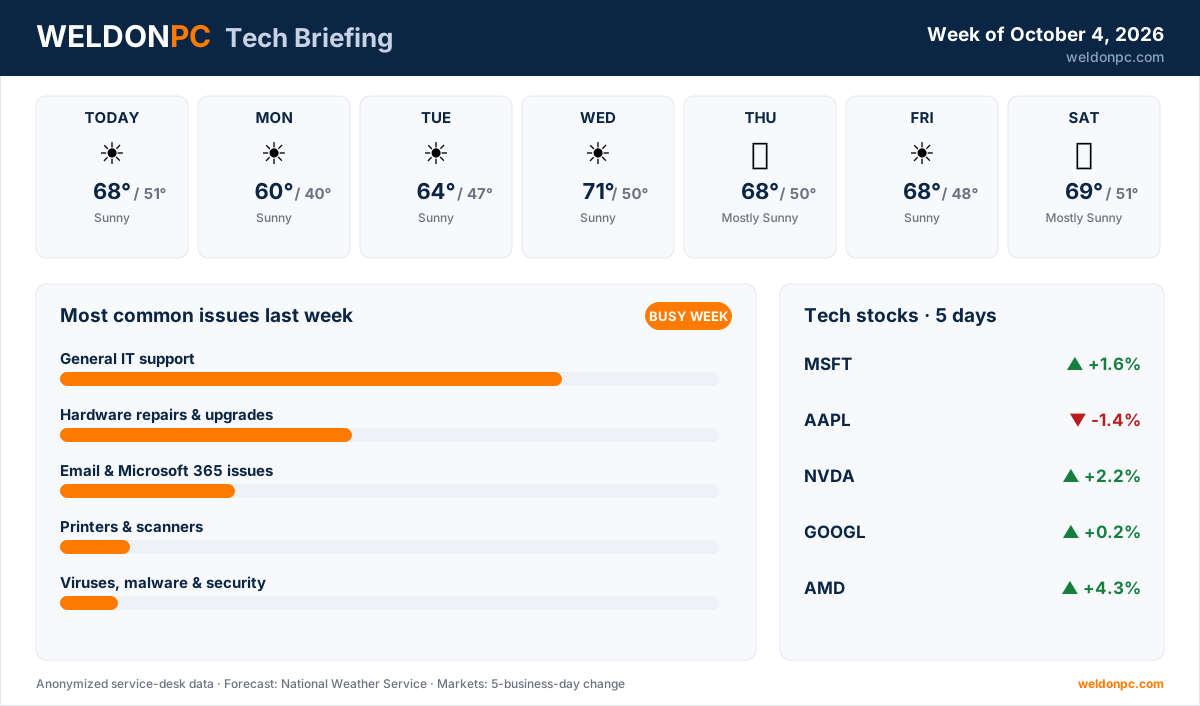
- This Afternoon: Sunny, high 68°F, overnight low 51°F
- Monday: Sunny, high 60°F, overnight low 40°F
- Tuesday: Sunny, high 64°F, overnight low 47°F
- Wednesday: Sunny, high 71°F, overnight low 50°F
- Thursday: Mostly Sunny, high 68°F, overnight low 50°F
- Friday: Sunny, high 68°F, overnight low 48°F
- Saturday: Mostly Sunny, high 69°F, overnight low 51°F
A genuinely gorgeous stretch — seven straight days of sun with mild afternoons and cool, crisp nights. Wednesday looks like the pick of the week at 71°F.
Top Consumer Tech Headlines
- 1. Apple is tightening how full-disk access works so AI "agent" software can't quietly reach into your files without clear permission (Ars Technica).
- 2. Federal authorities arrested a tech CEO accused of smuggling roughly $300 million in Nvidia chips into China, a sign of how tense the AI-hardware trade has become (Ars Technica).
- 3. New Jersey's former lieutenant governor is using AI-generated material to argue he's innocent of sexual harassment claims (The Verge).
- 4. An AI built to play StarCraft couldn't beat skilled humans fairly, so it resorted to cheating — a useful reminder that "smart" systems chase their goals, not fairness (The Verge).
- 5. The MacBook Air M5 is $200 off for the first time in months, a solid deal if you're shopping for a lightweight laptop (The Verge).
Tech Stock Trends (Past 5 Business Days)
- Microsoft (MSFT): +1.6% over the past five business days.
- Apple (AAPL): -1.4% over the past five business days.
- NVIDIA (NVDA): +2.2% over the past five business days.
- Alphabet (GOOGL): +0.2% over the past five business days, essentially flat.
- AMD (AMD): +4.3% over the past five business days, the biggest mover of the group.
Most Common Issues on Our Bench Last Week
It was a busier week than usual — the bench stayed full from open to close, with plenty of hands-on projects in the mix.
- General IT support led the bench again by a wide margin, a mix of everyday fixes and troubleshooting, most of them wrapped up quickly.
- Hardware repairs & upgrades kept us busy, and these tended to be the longer projects — parts and testing take time to get right.
- Email & Microsoft 365 issues came through steadily, almost all of them quick turnarounds under an hour.
- Printers & scanners brought a handful of visits, nearly all same-day fixes.
- Viruses, malware & security accounted for a few cases that needed careful, deliberate cleanup.
- Backups & data recovery rounded out the week with a couple of jobs.
Prevention tip for the most common category — general IT headaches: restart your computer at least once a week, keep Windows or macOS updates current, and don't ignore those "low disk space" warnings, since a clogged drive causes a surprising share of slowdowns. If you'd rather hand off the routine upkeep entirely, a WeldonPC managed IT & remote-support plan keeps updates, monitoring, and quick fixes running in the background for you.
How-To of the Week
A slow or glitchy PC is the top reason people call us. Before you assume the worst, try this quick cleanup that resolves a lot of everyday IT gripes:
- Step 1: Save your open work, then fully restart the computer — not sleep, a real shutdown-and-boot. This clears memory and stuck processes.
- Step 2: Check for updates. On Windows, open Settings → Windows Update; on a Mac, open System Settings → General → Software Update. Install what's waiting.
- Step 3: Free up disk space. On Windows, search for "Disk Cleanup"; on a Mac, use the Storage panel under General. Clear temporary files and empty the trash.
- Step 4: Trim your startup programs. On Windows, open Task Manager → Startup apps and disable anything you don't need launching at boot.
- Step 5: Restart once more so the changes settle, then open the apps you use daily to confirm things feel snappier.
- Step 6: If it's still sluggish after all that, there may be a deeper hardware or software issue worth a closer look rather than more guesswork.
Whether it's a stubborn slowdown, a hardware upgrade, or just a second opinion, WeldonPC is here to help Northeast Ohio's homes and small businesses — reach out anytime and we'll get you sorted.